You've probably seen Google Ads everywhere, but launching your first campaign can feel overwhelming when you're staring at Google's interface for the first time. The platform offers incredible potential to drive targeted traffic and sales, yet most beginners make costly mistakes that drain their budgets without delivering results. Whether you're running a small business or managing marketing for a larger company, understanding the fundamentals will determine whether you'll waste money or generate profitable returns from day one.
The Essentials
- Set up your Google Ads account with billing information and create your first campaign based on specific business objectives.
- Choose the right campaign type (Search, Display, Shopping, Video) that aligns with your marketing goals and target audience.
- Conduct keyword research using Google's Keyword Planner to find relevant, cost-effective terms with good search volume.
- Write compelling ad copy with target keywords, unique value propositions, and strong call-to-action phrases that drive engagement.
- Set daily budgets, select bidding strategies, and track performance using Google Analytics to optimize campaign results.
Setting Up Your Google Ads Account and Basic Configuration
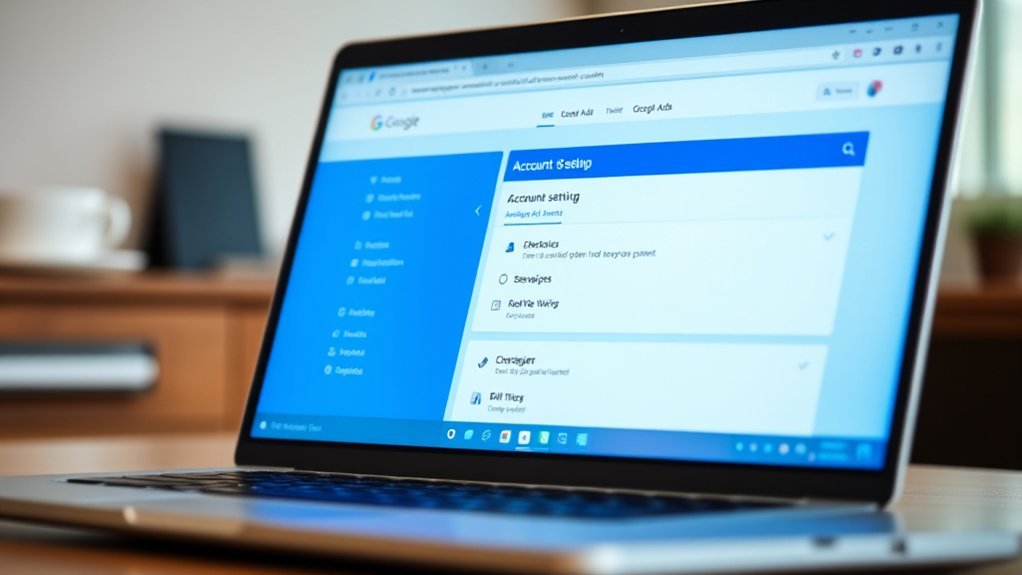
Once you've accessed your Google Ads account, you'll configure billing information and set your country and timezone. These settings can't be changed later, so choose carefully.
Next, you'll create your first Google Ads campaign. Select your campaign objective, whether it's driving website traffic, generating leads, or increasing sales. Choose appropriate bidding strategies that align with your goals—automated bidding works well for beginners, while manual bidding offers more control.
The platform has evolved from Google AdWords but maintains the same core functionality for creating effective advertising campaigns.
Understanding Campaign Types and Choosing the Right Strategy
Which campaign type will deliver the best results for your specific business goals? You'll need to match your marketing strategy with Google's available options. Search campaigns target users actively searching for your products, while Display campaigns build brand awareness across websites. Shopping campaigns showcase product images and prices directly in search results. Video campaigns leverage YouTube's massive reach for visual storytelling.
Your target audience determines which format works best. Create focused ad groups within each campaign to organize related keywords and ads. Select an appropriate bid strategy—manual bidding gives you control, while automated options like Target CPA optimize for conversions. Monitor campaign performance regularly and adjust based on data. The right combination drives better results and maximizes your advertising investment.
Keyword Research and Selection for Maximum Impact

Keywords form the foundation of every successful Google Ads campaign—they're the bridge connecting your ads to potential customers' search queries. Effective keyword research separates profitable campaigns from costly failures in your digital marketing strategy.
Start with Google's Keyword Planner to identify relevant terms your audience searches for. Focus on search volume, competition levels, and cost-per-click estimates. Don't chase high-volume keywords blindly—long-tail keywords often convert better and cost less.
Organize keywords into tightly themed ad groups for better Quality Scores. Include exact match keywords for precision, phrase match for moderate reach, and broad match for discovery. Search engines reward relevance, so align keywords with your ad copy and landing pages.
This google ads crash course approach ensures your campaign management drives qualified traffic while maximizing your advertising budget's impact.
Creating Compelling Ad Copy That Converts
After you've selected your target keywords, your ad copy becomes the critical factor determining whether users click through to your website or scroll past to competitors. Your Google Ads success hinges on crafting compelling headlines and descriptions that resonate with searchers' intent while driving conversion.
Effective ad copy in digital marketing follows these essential principles:
- Include your target keyword in the headline to improve relevance and Quality Score
- Highlight unique value propositions that differentiate you from competitors in click advertising
- Add strong call-to-action phrases like "Get Started Today" or "Shop Now" to encourage immediate action
Test multiple ad variations simultaneously to identify which messaging generates the highest click-through rates. Focus on benefits rather than features, addressing specific pain points your audience faces while maintaining clarity and urgency.
Setting Budgets, Bids, and Targeting Parameters

With your compelling ad copy ready to attract clicks, you'll need to establish the financial framework that determines when and where your ads appear. Setting proper budgets in Google Ads starts with determining your daily ad spend limit. This controls how much you're willing to invest each day across your campaigns.
Next, configure your bidding strategy. Choose between manual CPC for hands-on control or automated bidding for Google's algorithm-driven approach. Your bids directly impact ad placement and visibility.
Finally, define your targeting parameters. Select geographic locations, demographics, interests, and device types that align with your ideal customers. These settings ensure your Google Ads reach the right audience while maximizing your budget efficiency and campaign performance.
Installing Conversion Tracking and Performance Measurement
The foundation of any successful Google Ads campaign lies in measuring what matters most – conversions. Without proper conversion tracking, you're essentially flying blind, unable to determine which keywords, ads, or campaigns actually drive valuable actions.
Setting up conversion tracking requires three essential steps:
- Install Google Analytics on your website and link it to your Google Ads account
- Define conversion actions such as purchases, form submissions, or phone calls that align with your business goals
- Implement tracking codes on relevant pages like thank-you pages or checkout confirmations
Once installed, you'll access comprehensive performance measurement data showing which campaigns generate real results. This analytics foundation enables data-driven optimization decisions, helping you allocate budget toward high-performing elements while eliminating wasteful spending on underperforming campaigns.
Launching Your First Campaign and Initial Optimization

Your conversion tracking system is now ready to capture valuable data, making it the perfect time to launch your first campaign and begin the optimization process. This crash course step to guide will help beginners navigate their first Google Ads launch effectively.
Start by reviewing all campaign settings one final time before going live. Check your budget, targeting parameters, ad copy, and keywords for accuracy. Once launched, don't expect immediate perfection—every campaign requires initial optimization.
Monitor performance closely during the first 48-72 hours. Focus on click-through rates, quality scores, and early conversion signals. Pause underperforming keywords quickly and increase bids on high-performers. If working with an existing campaign, apply these same optimization principles. Remember, successful Google Ads management requires continuous testing and refinement based on real performance data.
Advanced Techniques for Scaling and Improving ROI
Once you've established a profitable baseline campaign, scaling becomes your primary focus for maximizing return on investment. Advanced Google Ads strategies separate successful marketers from beginners in digital advertising.
Here are three proven techniques for scaling your search engine marketing efforts:
- Audience Layering - Combine demographics, interests, and behavioral data to create highly targeted segments that drive quality traffic
- Automated Bidding Strategies - Implement Target ROAS or Maximize Conversions to optimize bids based on real-time performance data
- Campaign Structure Expansion - Create themed ad groups with tightly matched keywords and corresponding landing pages
You'll also want to leverage negative keyword lists, dayparting optimization, and geographic performance analysis. These advanced tactics help you eliminate wasted spend while identifying your most profitable opportunities for sustainable growth.
Frequently Asked Questions
Can I Run Google Ads Without a Website or Landing Page?
You can run Google Ads without a website, but you'll need somewhere to direct traffic. You can use Google My Business for local campaigns, phone-only ads for call campaigns, or app store listings for app promotion campaigns. However, you're severely limiting your options and effectiveness. Most successful Google Ads campaigns require a dedicated landing page to convert visitors into customers, so you should consider creating one for better results.
How Long Does Google Ads Approval Process Typically Take?
Google Ads approval typically takes 1-3 business days, though it can sometimes take up to a week. You'll receive an email notification once your ads are approved or if they need changes. If you're advertising in sensitive industries like healthcare or finance, expect longer review times. You can check your approval status directly in your Google Ads dashboard. Don't worry if it takes a few days - Google's reviewing your ads thoroughly.
What Happens if I Accidentally Click on My Own Ads?
If you accidentally click your own ads, Google's system will typically detect and filter out these invalid clicks automatically. You won't be charged for accidental self-clicks since Google recognizes suspicious activity patterns. However, don't make it a habit - repeatedly clicking your ads intentionally can lead to account suspension. Google's algorithms are sophisticated enough to distinguish between genuine mistakes and deliberate click fraud, so occasional accidents shouldn't cause problems for your account.
Can Competitors Deliberately Click My Ads to Waste My Budget?
Yes, competitors can deliberately click your ads to waste your budget, a practice called "click fraud." However, Google's sophisticated detection systems automatically identify and filter out invalid clicks, including malicious ones. You'll receive automatic refunds for fraudulent clicks Google catches. If you suspect ongoing click fraud, you can report it through Google Ads and request manual reviews. Google's algorithms are quite effective at protecting advertisers from this type of abuse.
Is There a Minimum Spending Requirement to Use Google Ads?
You don't need a minimum spending requirement to start using Google Ads. You can begin with any budget that works for your business, even as little as $1 per day. However, you'll need to add a payment method and set daily budgets for your campaigns. Google recommends starting with at least $10-20 daily to gather meaningful data and see results, but there's no enforced minimum spending threshold to create your account.
Final Thoughts
You've now got the foundation to launch successful Google Ads campaigns. Start with your first campaign using the basics you've learned, then gradually implement advanced techniques as you gain experience. Don't forget to monitor your metrics closely and adjust your strategies based on performance data. Remember, Google Ads mastery comes through consistent testing and optimization. Take action today and begin driving targeted traffic to your business.